To be able to use (measured) data in other applications, data of all sources can be exported to different file types. Below you can read how to export data and you can find some information about the supported formats.
Contents
How to export data
Data of all sources can be exported. This means that data of all stand-alone sources like the Software signal generator, but also outputs of other objects, like instruments and I/Os, can be saved to file.
The data displayed in a graph can also be saved to a file. All data of all shown lines will be exported. Lines that are added to the graph but are hidden, will not be exported. When cursors are switched on, only the data in the section between the two cursors will be exported.
Data of graphs can also be exported in graphical way to image files. This is explained on the page on saving images.
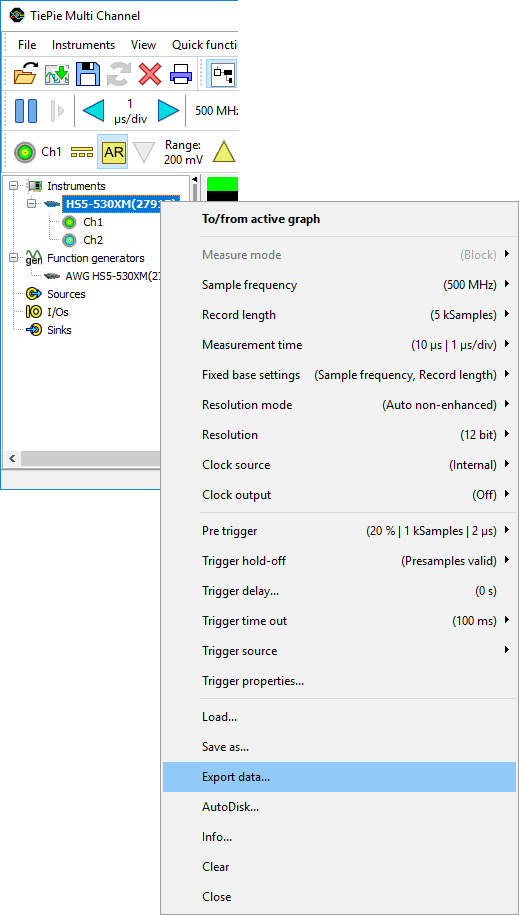
Exporting data of sources, I/Os or graphs can be done by selecting the desired objects and choosing "Export data..." from its popup menu. See the picture below.
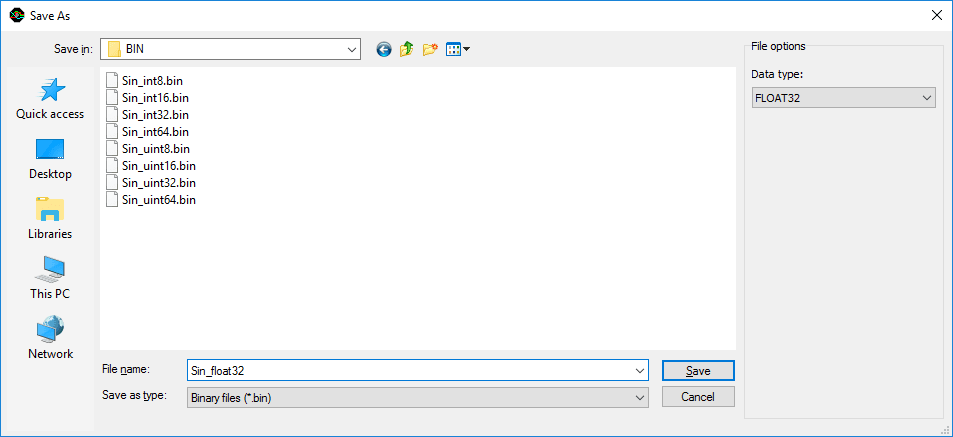
A standard save dialog will popup, which is extended with options for the selected file format.
With the file type combo box in the dialog, the desired file type can be selected. The list of available file types depends on the selected sources that are to be saved. For example, most formats only support one time base. If sources with different time bases are selected, a separate file per source will be exported. The file name of the exported file will then also contain the name of the corresponding source.
Below, the save dialog is displayed with the options for saving binary files.
Binary (.BIN) files
Binary files contain nothing more than raw data. No information about sample frequency, range, number of sources, number of samples etc. is included.
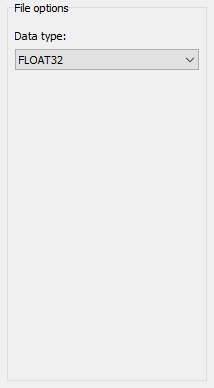
Data can be stored in the following Data types:
| Data type | Description |
|---|---|
| UINT8 | 8 bit unsigned integer |
| INT8 | 8 bit signed integer |
| UINT16 | 16 bit unsigned integer |
| INT16 | 16 bit signed integer |
| UINT32 | 32 bit unsigned integer |
| INT32 | 32 bit signed integer |
| UINT64 | 64 bit unsigned integer |
| INT64 | 64 bit signed integer |
| FLOAT32 | Single precision floating point |
| FLOAT64 | Double precision floating point |
This file type supports multiple sources in one file. When multiple sources are included in one file, the data of the different sources is interleaved, starting with sample 0 of source 0, then sample 0 of source 1 etc.
There are some limitations when exporting data to this format. For time base signals:
- All sources must have the same start and end time
- All sources must have the same sample frequency
For frequency based signals (spectra):
- All sources must have the same begin and end frequency
- All sources must have the same data size
CSV (ASCII) files
Comma Separated Values files are supported by a great number of programs. The data is stored in human readable form using ASCII characters and can be viewed with any text editor. The name of the file type is a bit misleading: mostly semicolons (;) are used as column separator instead of commas (,).
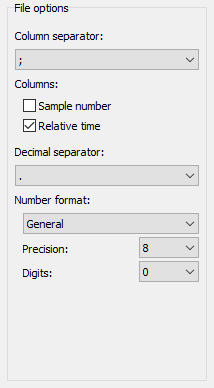
The exported CSV files contain a header with some information and a column of data for each source. Optionally a time base and/or sample number column can be written. The columns are by default separated by a semicolon (;), but another separator may be chosen as well. The default decimal separator is a point (.), but it can be changed to a comma (,).
The data values can be formatted in different ways:
- General number format: The value is converted to the shortest possible decimal string using fixed or scientific format.
- Fixed point format: The value is converted to a string of the form "-ddd.ddd...".
- Scientific format: The value is converted to a string of the form "-d.ddd...E+dddd".
The meaning of the precision and digits values are as follows:
| Number format | Precision | Digits |
|---|---|---|
| General | Number of significant digits | Minimum number of digits in exponent |
| Fixed | Number of significant digits | Number of digits after the decimal point |
| Scientific | Number of significant digits | Minimum number of digits in exponent |
There are some limitations when exporting data to this format. For time based signals:
- All sources must have the same start and end time
- All sources must have the same sample frequency
For frequency based signals (spectra):
- All sources must have the same begin and end frequency
- All sources must have the same data size
JSON files
JSON files are supported by various third party programs. The content is stored in human readable form using ASCII characters and can be viewed with any text editor. Due to their structure, JSON files can be easily handled by other programs.
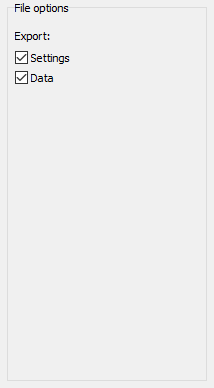
When exporting to a JSON file, settings and/or data can be stored in the file.
Matlab files
Matlab .mat files can contain data from multiple sources and can contain multiple streams. In Matlab .mat files all object data is stored in separate structures, each with its one time base and other information. There are three different structures that are used:
- src : contains a single source's data
- msrc : contains data of multiple synchronous sources
- amsrc : contains data of multiple asynchronous sources
Time based signals, as well as frequency based signals (spectra) can be exported to Matlab .mat files. When a spectrum is saved, the PreSampleCount field is not stored, and the SampleFrequency field is replaced by the BinsPerHz field. The value of this field is expressed in Samples/Hz, similar to the SampleFrequency field, which has unit Samples/s. Both fields can be used to reconstruct the horizontal axis.
Information about the MAT-file format can be found at the MathWorks site.
Matlab src structure
For each selected single source or output, a src structure is written to the file. The src structure contains the following properties:
| Field name | Meaning |
|---|---|
| name | name of the source |
| DateTime | floating point number representing the time and date: 1 corresponds to 1-Jan-00001 |
| RangeMin | low value of the data range |
| RangeMax | high value of the data range |
| SampleFrequency2 | sample frequency of the data |
| PreSampleCount3 | number of pre samples in Data array |
| StartValue | relative start time of the post samples |
| Unit | unit of the data |
| Data | array containing the samples |
Matlab msrc structure
For each selected object with multiple synchronous outputs, a msrc structure is written to the file. An instrument is an example of an object with multiple synchronous outputs. This structure looks a lot like the src structure. The difference is that some fields are now arrays instead of single values and the field srcnames is added. The msrc structure contains the following properties:
| Field name | Meaning |
|---|---|
| name | name of the object |
| srcnames | names of the outputs |
| DateTime | floating point number representing the time and date: 1 corresponds to 1-Jan-00001 |
| RangeMin | low values of the data ranges |
| RangeMax | high values of the data ranges |
| SampleFrequency2 | sample frequency of the data |
| PreSampleCount3 | number of pre samples in Data array |
| StartValue | relative start time of the post samples |
| Unit | units |
| Data | 2 dimensional array containing the samples |
Matlab amsrc structure
For each selected object with multiple asynchronous outputs, a amsrc structure is written to the file. Currently there are no objects with multiple asynchronous outputs. The msrc structure contains the following properties:
| Field name | Meaning |
|---|---|
| name | name of the object |
| DateTime | floating point number representing the time and date: 1 corresponds to 1-Jan-00001 |
| srcs | array containing a src structure for each output |
- If the DateTime value is smaller than 50000, the file is stored with an older version of the software ( <= 1.0.3 ) and represents the number of days since 1899-12-30. In that case, add 'datenum('30-Dec-1899')' to get the correct date. Execute 'help datenum' in Matlab to find out more about DateTime.
- For frequency based data (spectra) the SampleFrequency field is replaced by the BinsPerHz field.
- For frequency based data (spectra) the PreSampleCount field is not present.
Wave audio files
Normally, wave files are used only for audio data, but they can also be used to store measurement data. A disadvantage of wave files is that not all information can be stored. Information like measurement range and unit are lost. However, because there are a lot of wave file editors on the market, the wave file can be very convenient for editing measured data.
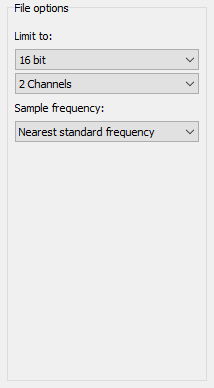
Most wave files contain one (mono) or two (stereo) data channels and mostly the data is stored with 8 or 16 bit precision. However, the wave file format can contain much more channels, and resolutions up to 64 bit can be used. Unfortunately, most programs that work with wave files do not support files with more than 2 channels and higher resolutions than 16 bit. Therefore, by default, the number of channels is limited to 2 and the resolution to 16 bit. The limits can be changed to write files with more channels or a higher resolution.
The wave file contains a field which contains the sample frequency of the file. For compatibility reasons, the value of the field is by default set to the standard sample frequency that is closest to the actual sample frequency. It can also be set to the original sample frequency or one of the other standard values. No resampling is performed, only the sample frequency field of the file is changed.
There are some limitations when exporting data to this format:
- Only time based sources can be stored (no spectra)
- All sources must have the same start and end time
- All sources must have the same sample frequency
